Use Insights: summary and filters
Insights, in the Understand group of the sidebar, shows the volume and satisfaction of the space’s responses. It has three tabs: Summary, Satisfaction and Topics.
Insights is on every plan, for the Editor, Admin and Owner roles. Only AI topic analysis has a monthly quota.
Filters
| Filter | Options |
|---|---|
| Period | Last 7, 30 (default) or 90 days. |
| Type | All, Testimonials or NPS. |
| More filters › Through date | An end date for looking at the past. Left blank, it shows current data. |
| More filters › Form, Campaign, Segment | Narrows it to one form, one campaign or one People segment. |
Every number compares the chosen period with the previous period of the same length. Dates are in UTC. The filters are kept in the page address, so you can save or share the view.
With a segment, Insights uses the people who are in the segment today, including when comparing with past periods.
The Summary tab
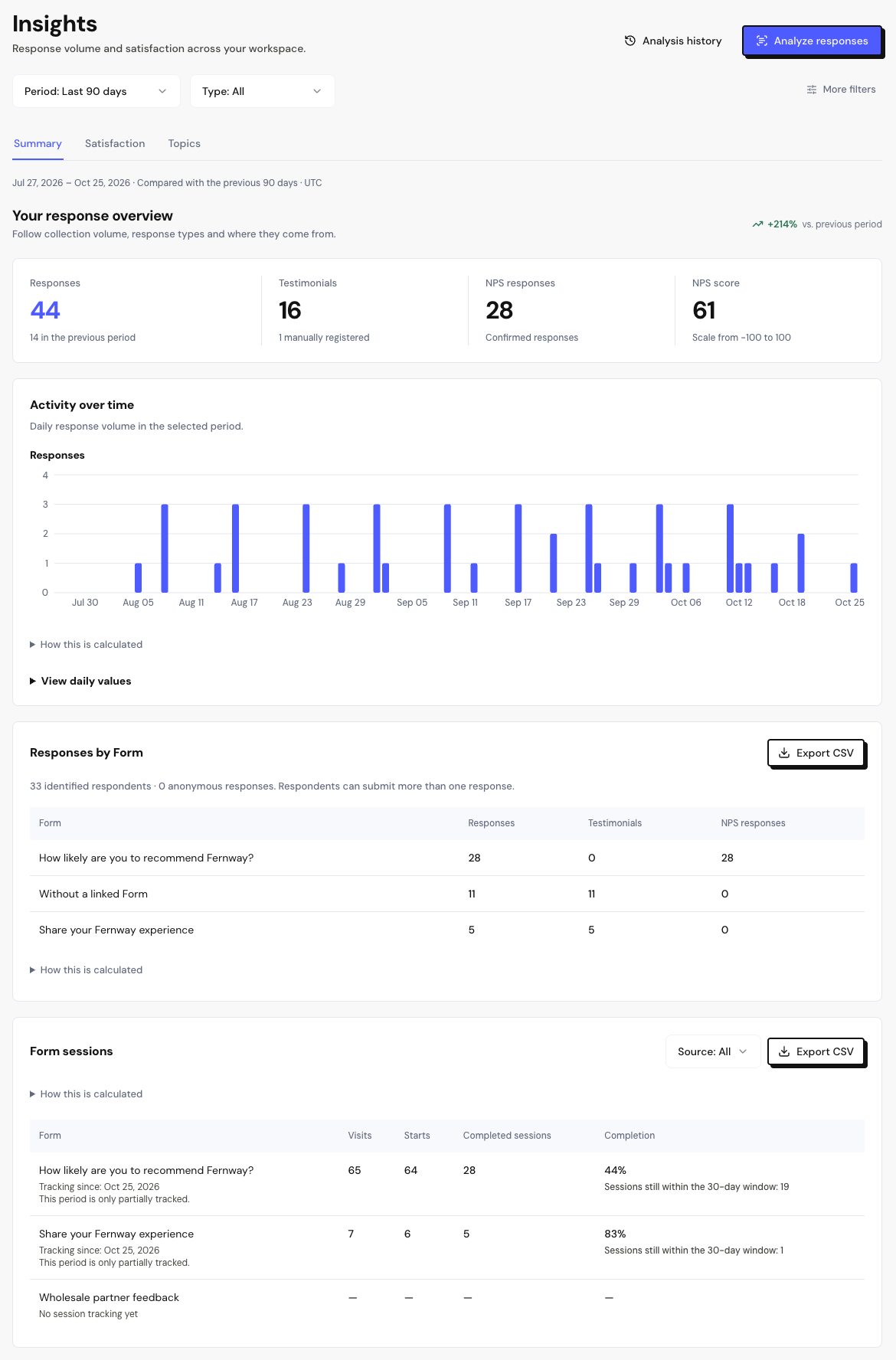
At the top are four numbers: Responses, Testimonials, NPS responses and the NPS Score. Below them:
Activity
Activity over time shows responses per day. Use View daily values to see the numbers in a table.
Each table has Export CSV to download the numbers.
Frequently asked questions
The numbers in Insights and in the Overview are different.
Check that both are on the same period and have no filters. The numbers are calculated the same way, in UTC.
Why does a form show “No session tracking yet”?
Sessions are only counted from the date tracking started for that form. Earlier periods appear without session data.
Can I filter by tag or by video?
Not yet. To analyze a specific group, create a segment in People and use the Segment filter.