Thank-you page
The thank-you page is the form’s last step and always appears after submission. You can change the message, show a video of yourself and send a thank-you email to the people who responded.
Change the message
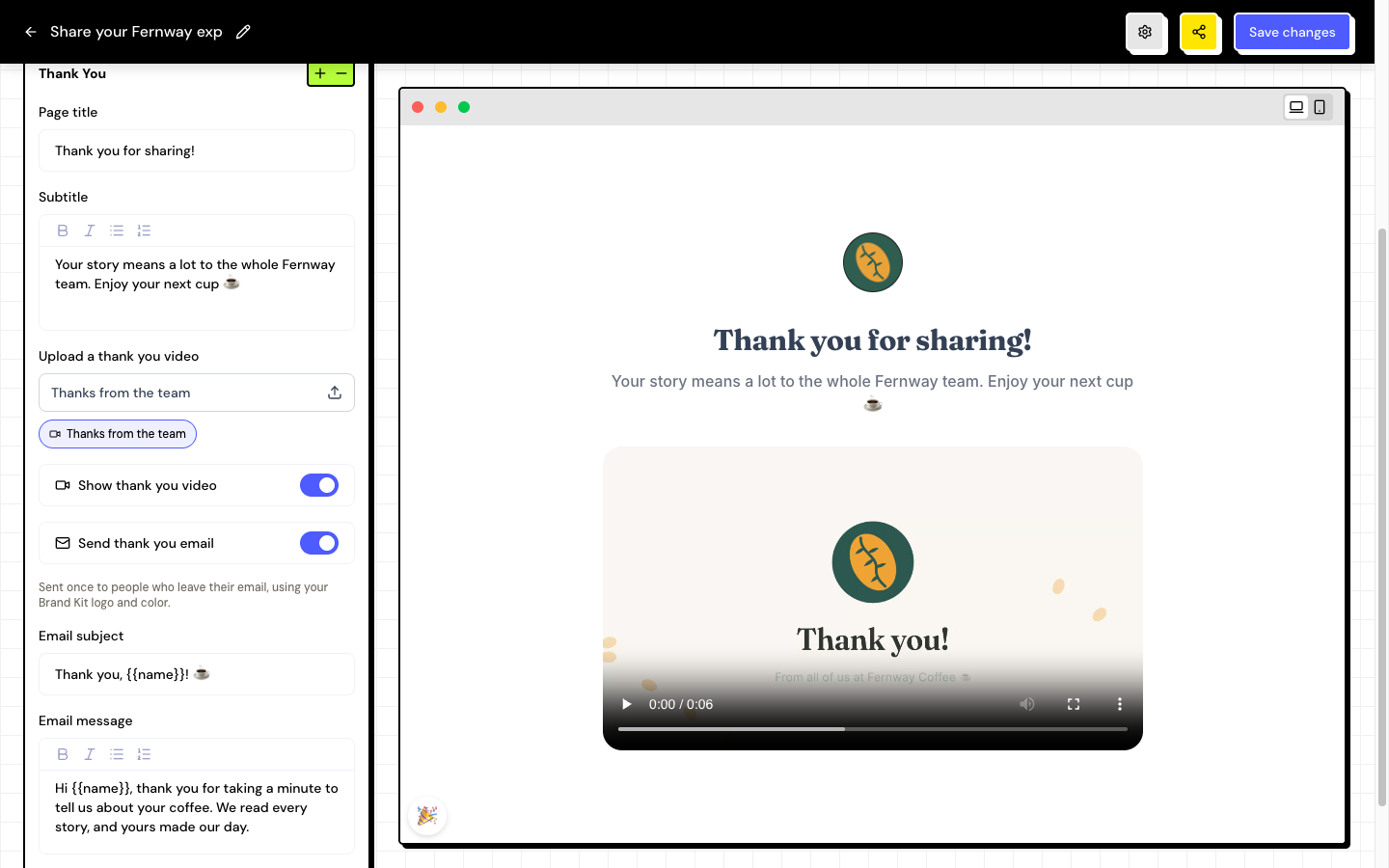
In the form editor, open the Thank You section and edit the Page title and the Subtitle. Click Save changes.
The thank-you page has no action button or redirect to another website. In an NPS survey, you can show different texts for each score group and invite promoters to leave a testimonial.
In the thank-you preview, click 🎉 to see the confetti the customer sees.
Show a thank-you video
Choose the video
In Upload a thank you video, click Choose video and upload a file of up to 100 MB. On paid plans, you can also choose a video already saved in the Brand Kit.
Turn on the display
Turn on Show thank you video.
Save
Click Save changes.
Send a thank-you email
The email is sent once to people who leave their email on the form, with your Brand Kit’s logo and color.
Turn on the email
In Thank You, turn on Send thank you email.
Write the subject and the message
Fill in Email subject (up to 200 characters) and Email message. Use {{name}} to include the person’s name. If you leave them blank, the app uses a default text.
Save
Click Save changes.
The email only reaches people who provide their email. If the Email field is turned off in About You, the app warns you to turn it on.
Frequently asked questions
In what language is the thank-you email sent?
In your account’s language, the same as the public form.
What is the “Built on Testimoniacs” block on the thank-you page?
It’s the Testimoniacs branding. On the Free plan it always appears. On paid plans, turn off Show Testimoniacs Powered By in Design.
Can I redirect the customer to my website after submission?
Not currently. Use the subtitle to include a message or a video with the next step.