Favicon for public pages
The favicon is the small icon in the browser tab. With your own, the space’s public pages show your brand instead of the Testimoniacs icon.
Available on all plans, for Admins and the Owner.
Upload the favicon
Open the Domain tab
In Settings › Domain, go to Favicon.
Upload the image
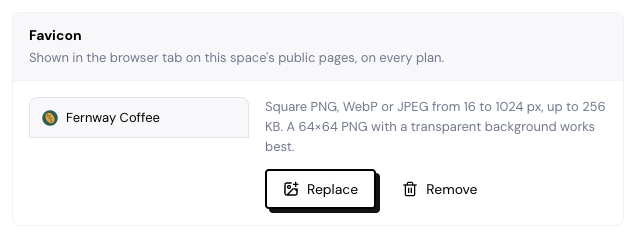
Click Upload favicon. Use a square PNG, WebP or JPEG image, from 16 to 1024 px, up to 256 KB. A 64×64 PNG with a transparent background works well.
Check the preview
The screen shows how it looks in a browser tab. Use Replace or Remove whenever you want.
The favicon applies to all of the space’s public pages: forms, Walls, case studies and testimonial pages, on your custom domain or on app.testimoniacs.com. Without a favicon, the pages use the Testimoniacs icon.
Frequently asked questions
I changed the favicon and the tab still shows the old one.
The browser keeps the icon for a while. Open the page in a private window to check.
Do I need a custom domain to use a favicon?
No. The favicon also works on the Testimoniacs address.
The image was rejected.
Check that it’s square, no larger than 256 KB and in PNG, WebP or JPEG.