Set up the campaign sender
Before you send or test your first campaign, set up who appears as the sender of the invitations. This setting belongs to the space and applies to all of its campaigns.
You can only start or test a campaign after saving the sender at least once.
Set up the sender
Open the settings
In Campaigns, click Sender settings. Or go to Settings › Campaigns in the space’s sidebar.
Fill in the fields
Check the fields in the table below. Company identity and Postal address are required.
Save
Click Save changes. Saving doesn’t send any email.
| Field | What it’s for |
|---|---|
| Company identity | The company name in the invitation footer. Starts with the space’s name. |
| Postal address | The company’s address in the footer, required in commercial emails. Starts empty. |
| Sender name | The name the customer sees as the sender. Starts with the space’s name. |
| Reply-to email | Where customer replies go. Starts with your email. |
| Workspace timezone | Used for scheduling. Starts with your browser’s time zone and doesn’t change when you travel. |
The address the invitations are sent from is generated by Testimoniacs and can’t be changed. You control the sender name and the email that receives replies.
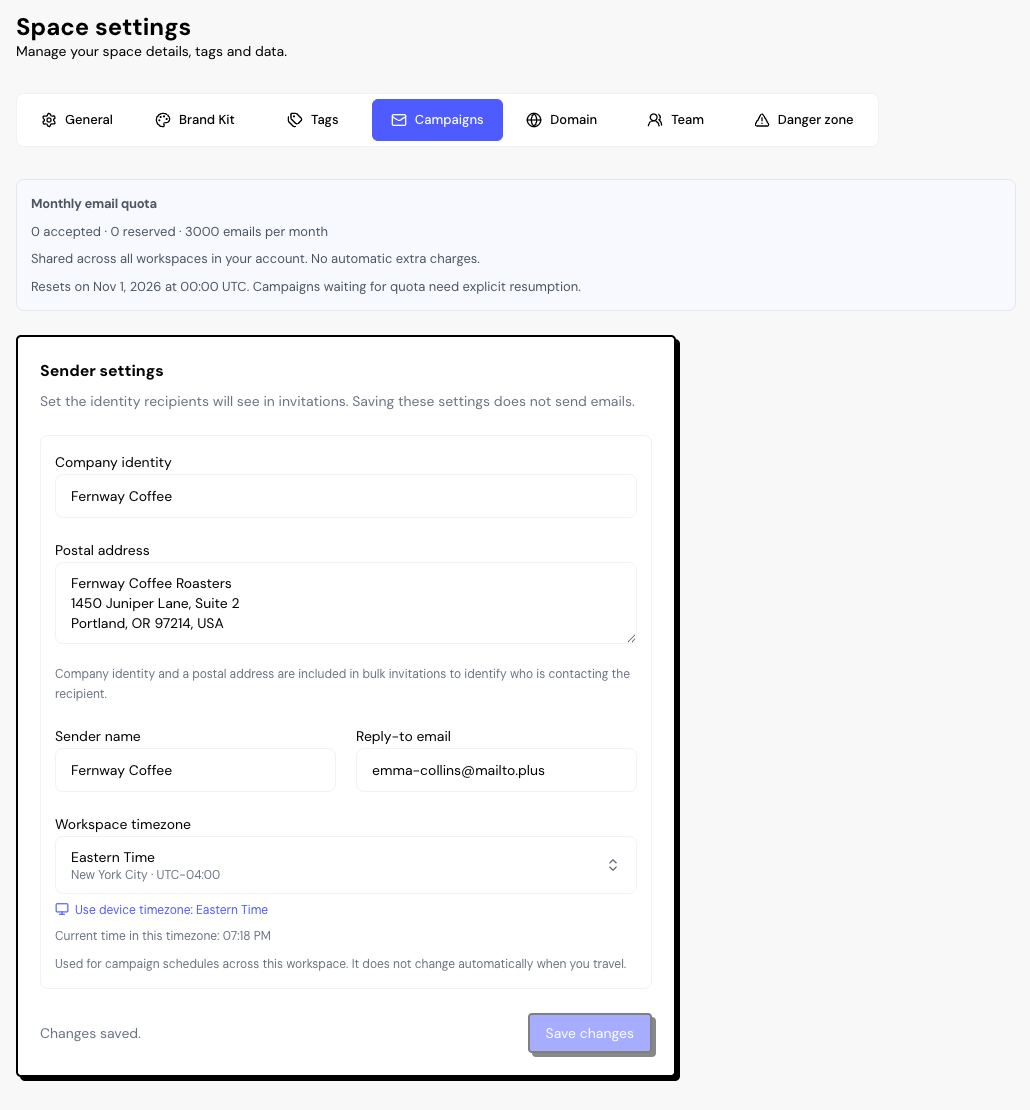
Monthly email quota
The Monthly email quota appears at the top of the page. Each invitation, reminder and test email accepted for delivery uses one credit.
- The quota depends on your plan. See the numbers in Plans and limits.
- It’s shared across all the spaces in your account.
- It renews on the 1st of each month, at 00:00 UTC. There are no automatic extra charges.
When the quota runs out, campaigns are Waiting for quota. After it renews, open each one and click Resume.
Frequently asked questions
Can I use different names in each campaign?
Yes. In the campaign’s Message step, use Customize sender to change the sender name and the reply-to email for that campaign only.
Why is the postal address required?
Commercial email laws require identifying who sends the email. The address appears in the invitation footer along with the company identity.
Do replies and unsubscribes give the credit back?
No. The credit is used when the email is accepted for delivery, even if it later bounces or the person unsubscribes.