Customer fields and consent
The About You and About Company steps ask for the respondent’s details: name, email, photo, job title, company and anything else you want. The Consent step asks for permission to use the testimonial.
Available fields
In a testimonial form, the name is always required, because it appears with the testimonial. In an NPS survey, every field can be optional or turned off, and the survey can be anonymous.
Edit a field
Open the step
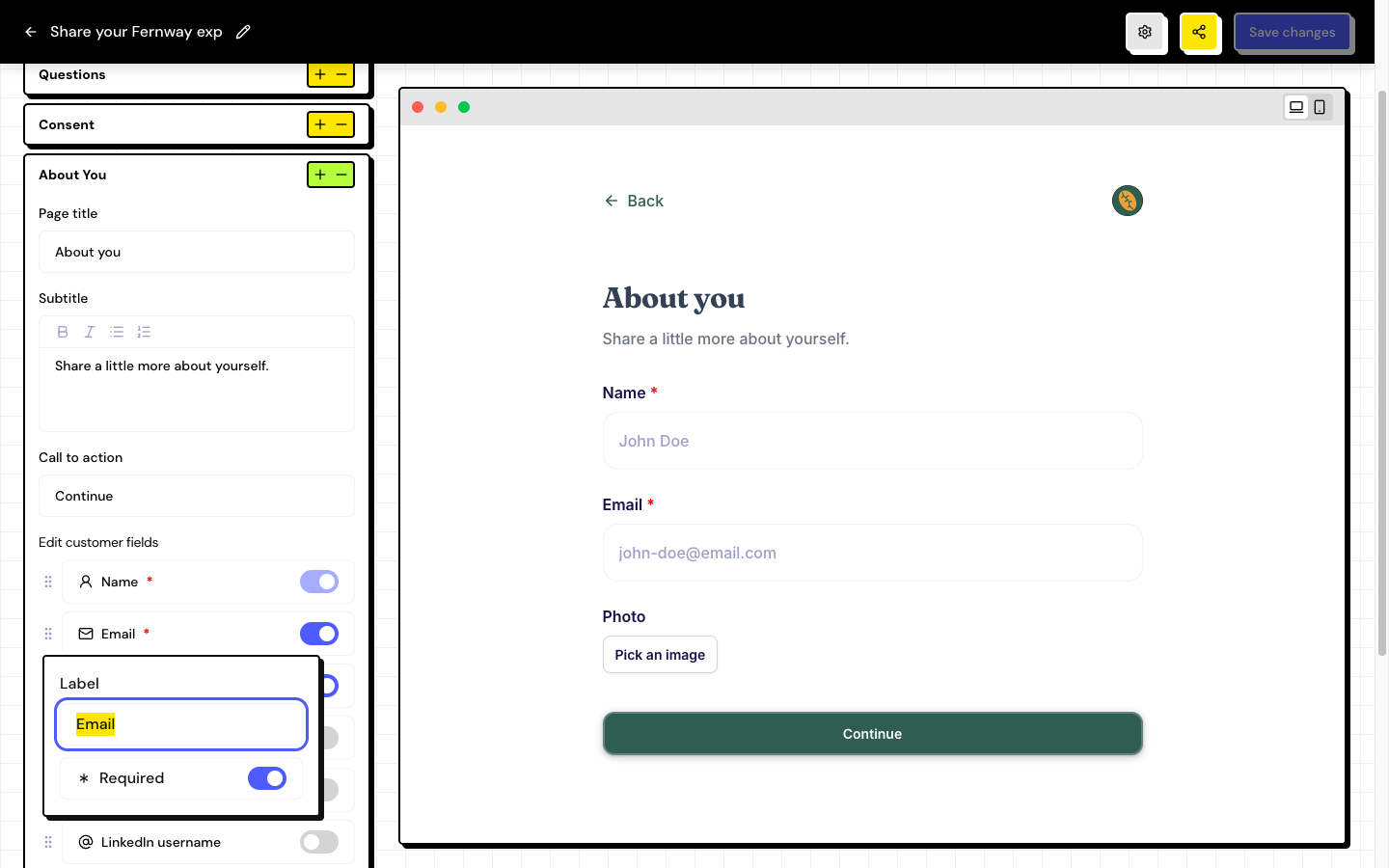
In the form editor, open About You or About Company. Check that Enable page is on.
Turn fields on or off
Use the toggle next to each field to show or hide it. Drag the fields to change the order.
Adjust the label
Click the field to edit the Label and turn Required on or off.
Save
Click Save changes.
Create additional fields
In Additional fields, click Add field. Click the new field and choose the Type field:
| Type | When to use it |
|---|---|
| Text | Short answers, such as a city or an order number. |
| Textarea | Longer answers. |
| Dropdown | Choose one option from a long list. |
| Checkbox | Check several options. |
| Radio | Choose one of a few options, all in view. |
For the last three types, write the options in Options (one per line). To remove an additional field, use Delete field.
Consent
The Consent step shows a box the customer has to check to continue. The box’s text is in Public consent label.
Consent can’t be turned off while About You or About Company are enabled. When you enable one of those steps, consent is enabled too.
Frequently asked questions
Can I make the email optional?
Yes. Turn off Required on the Email field. Keep in mind that the thank-you email only reaches people who provide their email.
Where do the field answers appear?
In the response itself, in the Inbox. Name, email and photo also feed the person’s contact in People.
How do I make an anonymous NPS survey?
Turn off the About You and About Company steps of the NPS form, or make every field optional.