Choose and order the testimonials
The Testimonial Wall section defines which testimonials appear and in what order. It works the same on walls and widgets.
Only testimonials that are approved or marked as Highlight in the Inbox appear. Pending or archived testimonials never go public.
Auto-add or manual selection
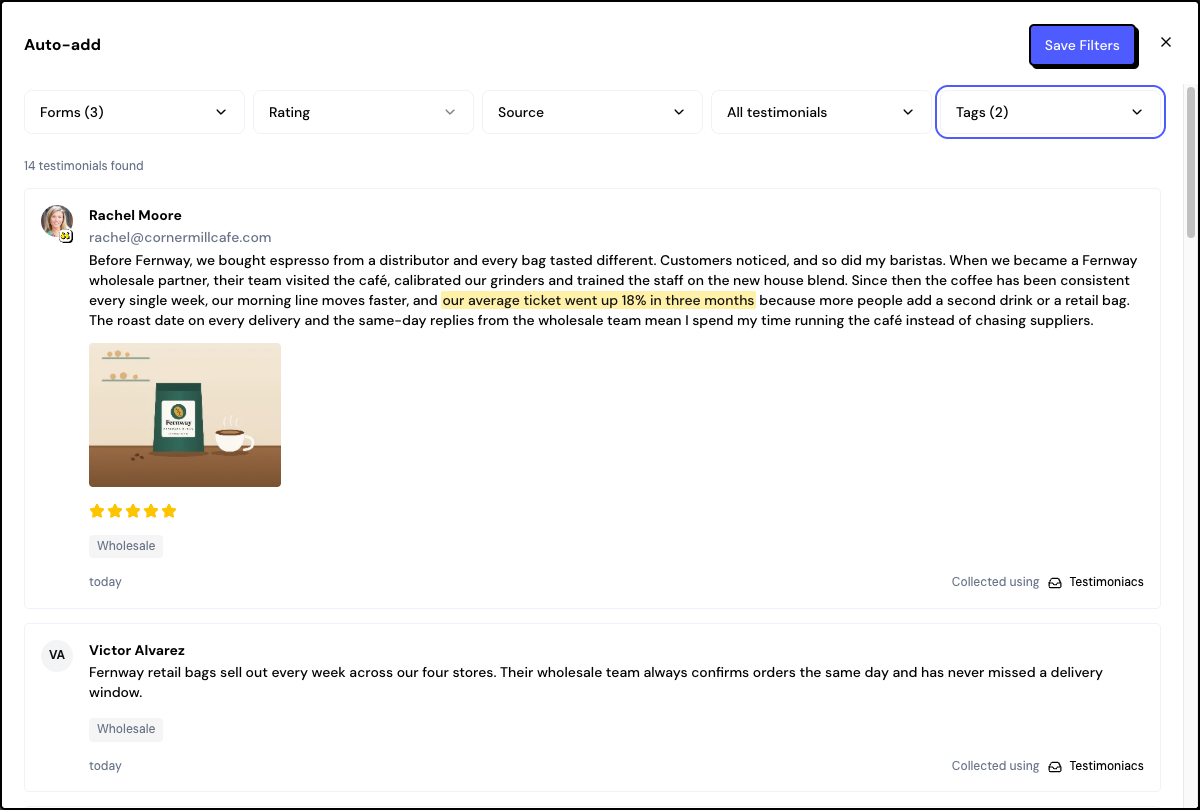
Choose at least one form or source (Imported or Manually added). Without that, the wall or widget stays empty.
Filters
| Filter | How it works |
|---|---|
| Forms | Which forms the testimonials come from. Also check Imported and Manually added to include testimonials that didn’t come from a form. |
| Rating | An exact rating. Choosing 5 stars, for example, doesn’t include 4-star ones. |
| Source | Where the testimonial came from, such as the platform of an imported testimonial. The list shows the sources that exist in the space. |
| Type | Text or video. |
| Tags | A testimonial is added if it has any of the chosen tags. |
Order
- Manual: drag the testimonials into the order you want.
- by Date: newest or oldest first.
- by Rating: highest ratings first.
- Randomly: the order changes on every visit.
Frequently asked questions
I approved a testimonial and it didn’t appear.
Check that it passes the filters (form, rating, type, tags). With manual selection, it needs to be checked. The public page can take about a minute to update.
How do I remove a testimonial from just one wall?
Use manual selection and uncheck the testimonial, or use tags to filter. Archiving it in the Inbox removes the testimonial from all walls and widgets.
Do the filters apply to the widget too?
Yes. Each wall and each widget has its own selection.
Related articles
Last updated on