Segments
A segment is a group of people defined by rules, such as “gave a score of 9 or 10 and don’t have an approved testimonial yet”. It’s dynamic: people join and leave on their own as the data changes.
The number of segments per space depends on your plan. See Plans and limits.
Create a segment
Open the editor
In People, open the All people selector and click + New segment.
Give it a name
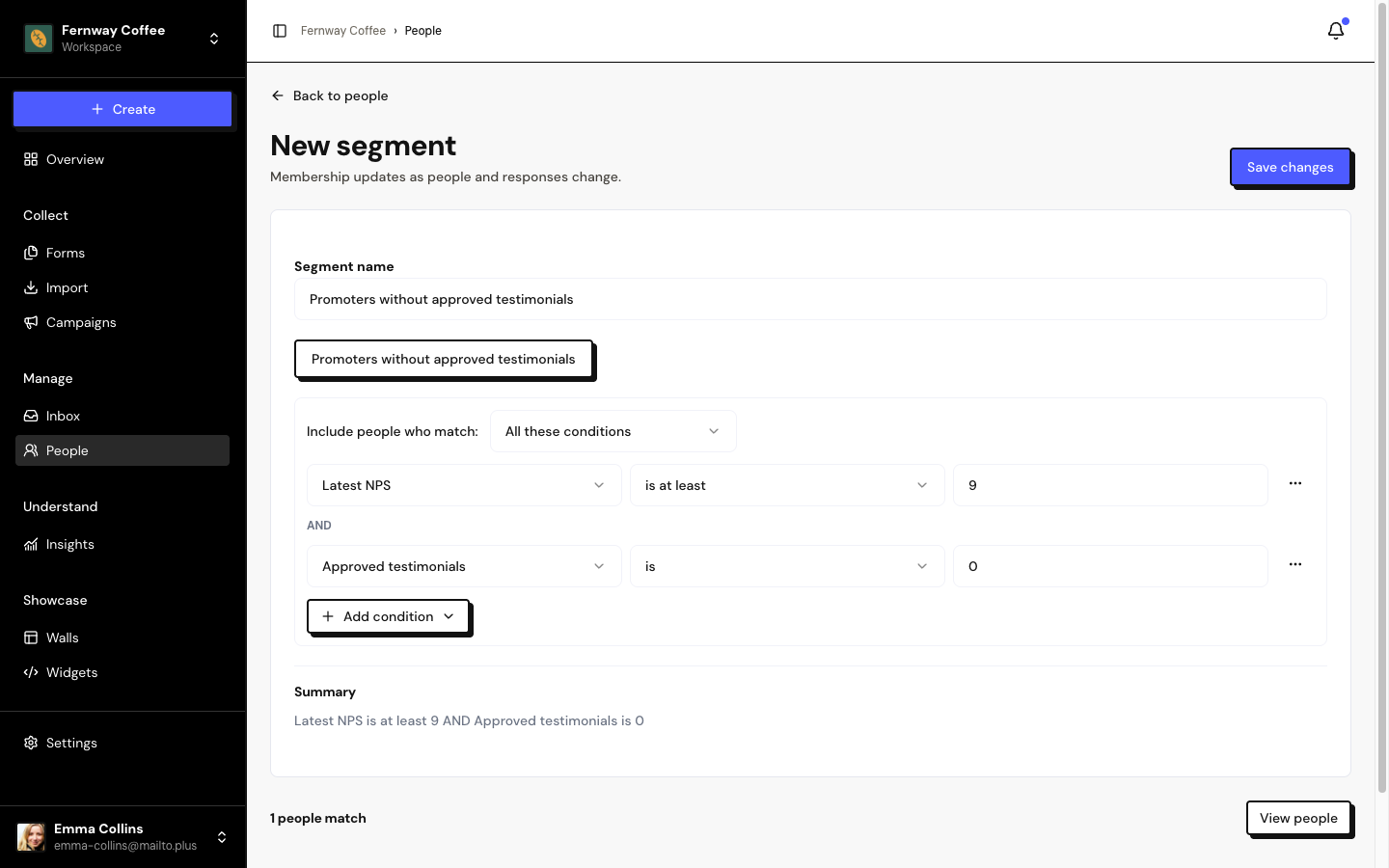
Fill in the Segment name. To get started quickly, use the Promoters without approved testimonials recipe.
Build the rules
In Include people who match, choose All these conditions (AND) or Any of these conditions (OR). Use + Add condition for rules and Add group to combine rules.
Check and save
The editor shows how many people match and, in View people, who they are. Click Save changes.
Available fields
| Field | Example rules |
|---|---|
| Company | is, contains, is any of, is missing |
| is present, is missing | |
| Contact permission | is Authorized, is any of |
| Person tags / Response tags | is any of, is none of |
| Latest NPS | is at least 9, is at most 6, is missing |
| Response count / Approved testimonials | is, is at least, is at most |
| Has video testimonial | Yes or No |
| Responded to form | is any of, is none of |
| Last response date | is on or after, is on or before, is between, is missing |
A segment accepts up to 3 levels of groups and 20 conditions.
Where to use segments
- People: choose the segment in the selector to see only those people.
- Campaigns: use it as a campaign’s audience, or in the Invite when someone joins a segment automation.
- Insights: to analyze just one group of people.
Combine the segment with Contact permission is Authorized to see only people who can receive invitations.
Edit or delete
In the segment selector, click the pencil next to the name. To delete, use Delete segment: people and responses are kept.
If a tag or form used in the rules is deleted, the segment becomes invalid and shows ⚠. Edit the rules before using it again.
Frequently asked questions
Do I need to update the segment by hand?
No. The segment is recalculated every time it’s used, with the latest data.
”Your plan segment limit has been reached” appears.
Delete an unused segment or change plans in Settings › Billing.
I deleted a segment used in a campaign.
The campaign loses its audience and is paused. Choose another audience in a new campaign.