Satisfaction (NPS) in Insights
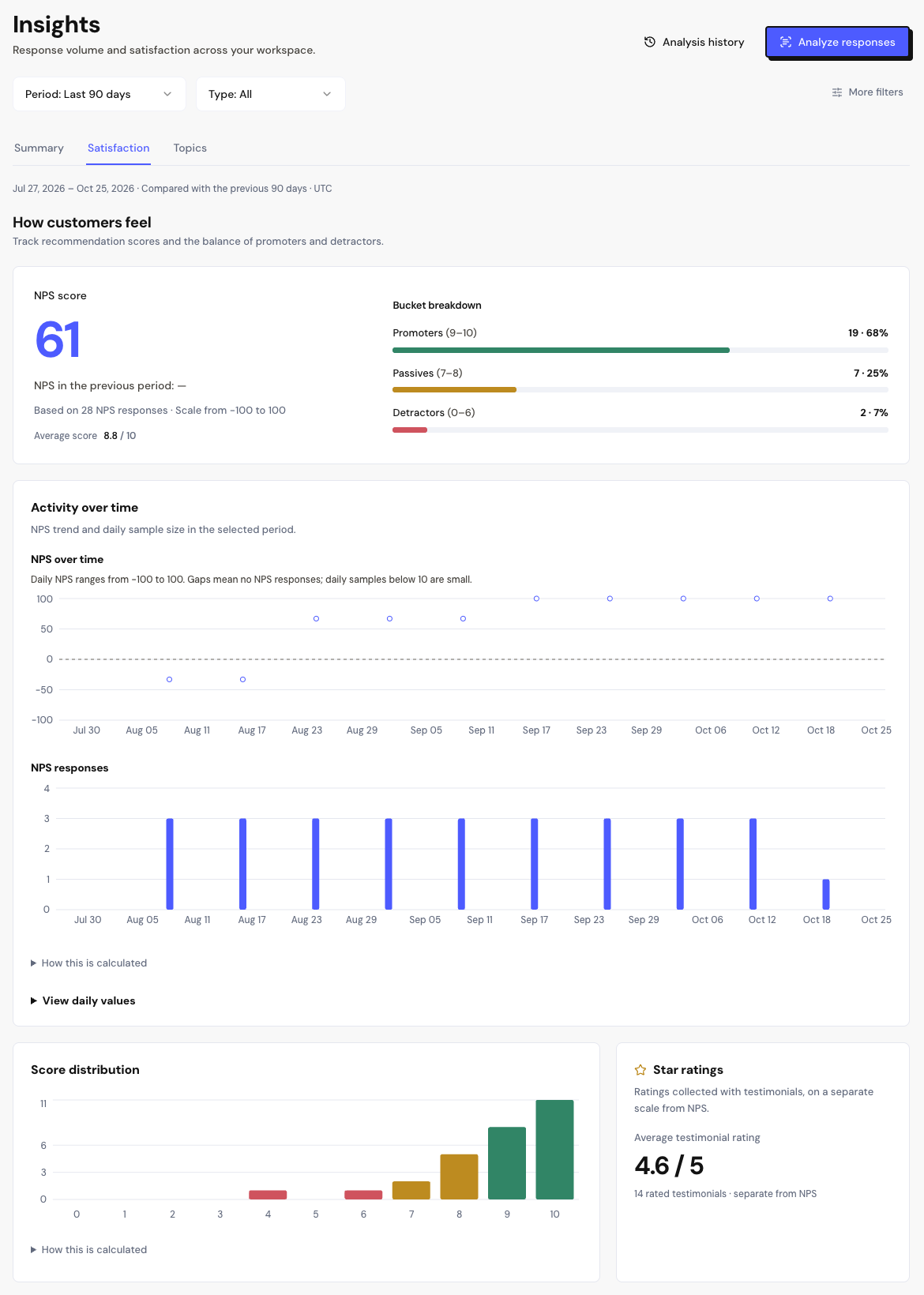
The Satisfaction tab in Insights shows how your customers feel: the NPS, the balance between promoters and detractors, and the star ratings of testimonials.
The period’s NPS
The main block shows:
- NPS Score: % of promoters minus % of detractors, from −100 to 100.
- The change in points and the previous period’s NPS.
- How many NPS responses were counted and the Average score, from 0 to 10.
With fewer than 10 responses in the period, Small sample appears. In these cases, one more response changes the NPS quite a bit.
Groups, trend and distribution
| Block | What it shows |
|---|---|
| Bucket breakdown | Promoters (9–10), Passives (7–8) and Detractors (0–6), with count and percentage. |
| NPS over time | The NPS for each day. Days with no NPS response are left blank. |
| Score distribution | How many responses each score, from 0 to 10, received. |
| Star ratings | The average stars of testimonials, from 1 to 5. It’s a separate scale from the NPS. |
| More metrics | How many responses have a comment and the responses from the last 7 and 30 days. |
To read the comments, open the responses in the Inbox, NPS tab, filtering by Detractors or Promoters. To see the most mentioned themes, use the Topics tab.
Frequently asked questions
Why does the NPS show ”—”?
There are no NPS responses in the chosen period and filters. Widen the period or check the Form filter.
Do testimonial stars count toward the NPS?
No. The NPS only uses the 0 to 10 scores from NPS surveys. The stars appear in Star ratings.
How is this different from the NPS form’s Analysis page?
Analysis shows a single form. Insights brings together all the space’s forms and lets you filter by campaign and segment.