Email notifications
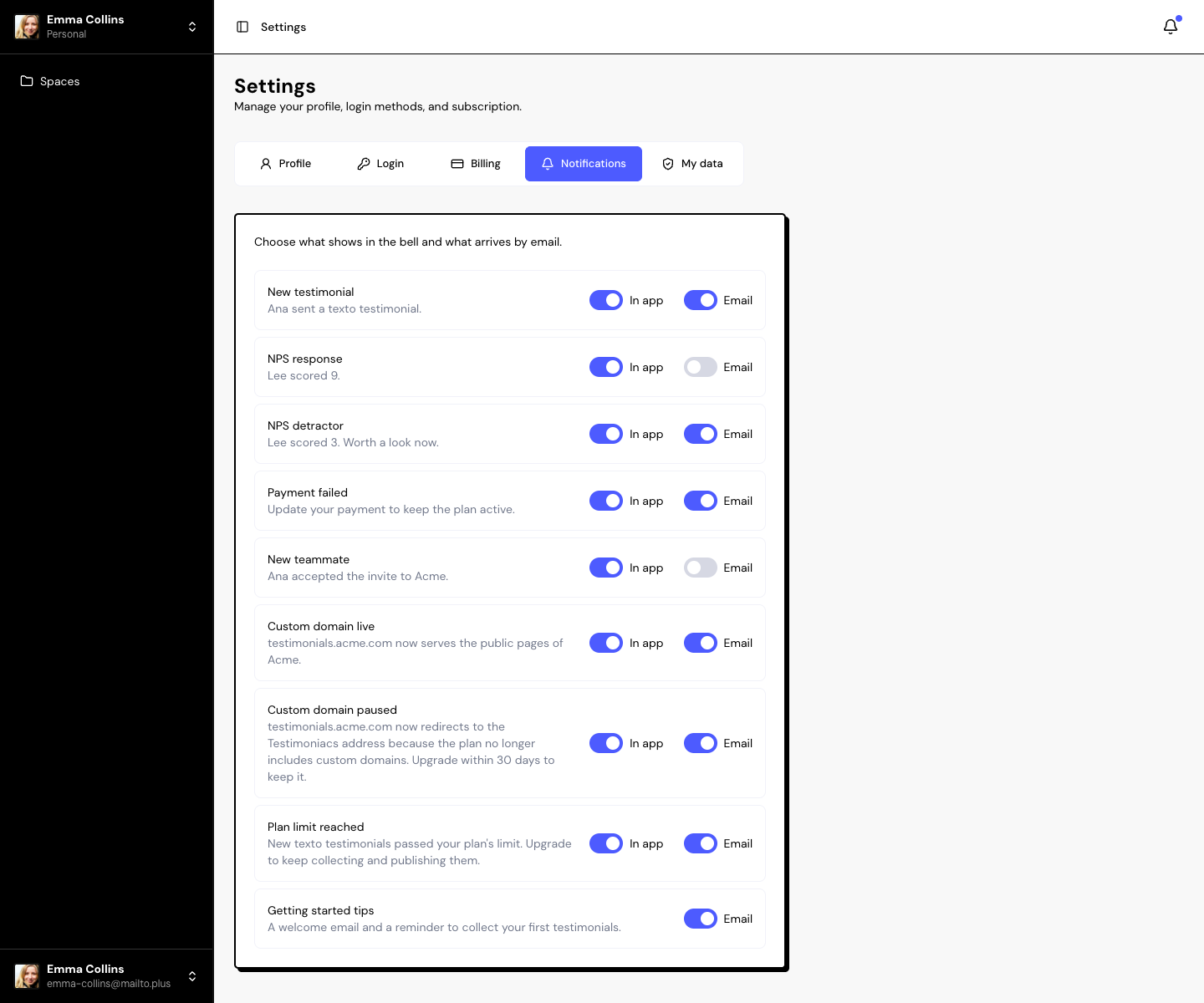
In Settings › Notifications, each type of alert has two toggles: In app (the bell) and Email. Changes are saved right away.
Alert types
| Alert | In app | |
|---|---|---|
| New testimonial | On | On |
| NPS response | On | Off |
| NPS detractor | On | On |
| Payment failed | On | On |
| New teammate | On | Off |
| Custom domain live | On | On |
| Custom domain paused | On | On |
| Plan limit reached | On | On |
| Getting started tips | — | On |
The table shows the defaults for a new account. Turn each toggle on or off as you prefer.
Keep the Payment failed email on. It’s what warns you in time to update your card before you lose your plan.
Emails that always arrive
Some emails don’t depend on these toggles: account confirmation, password reset, team invitations and the subscription welcome email.
Frequently asked questions
I get an email for every testimonial. Can I stop it?
Yes. Turn off the Email toggle for New testimonial. The alert still shows in the bell.
Do notifications apply to all my spaces?
Yes. The preferences belong to your account and apply to all spaces.
What language do the emails arrive in?
In your account language, in Settings › Profile.
Related articles
Last updated on