Publish, share and export a PDF
After editing, share the case study by link, on social media or as a PDF.
When the case study is public
The permission confirmation can’t be undone. There is also no way to unpublish a case study: to take it down, delete the case study.
The address is /s/your-space/case-studies/... or, with a custom domain, your domain.
Share
Save
Click Save changes so the link shows the latest version.
Open Share
In the editor, click the share icon.
Choose how to send it
Copy Your case study link, post it on social media or use Export PDF.
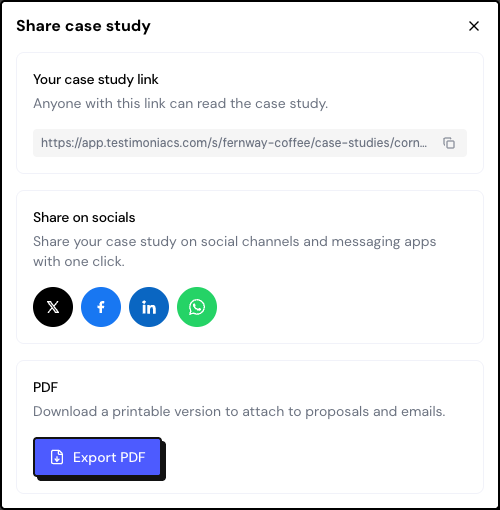
Export to PDF
Export PDF opens the browser’s print window with the page ready. Choose Save as PDF as the destination. Use the file in proposals and emails.
Anyone who opens the public page can also download the PDF with the Download PDF button.
Delete
In Case study settings, use Delete case study. The public link stops working. The source testimonial stays, and you can generate a new case study from it.
Frequently asked questions
The link shows “This case study is unavailable.”
The case study doesn’t have the customer’s permission confirmed yet, or it was deleted.
I changed the text and the link shows the old version.
Save the changes in the editor and reload the public page.
Does the case study appear on a Wall?
No. The case study has its own page. Put the link on your website or on a Wall’s button.