Schedule and repeat a campaign
In the first step of the campaign, under When to send, you choose whether the invitations go out only once or repeat at intervals.
One-time or recurring
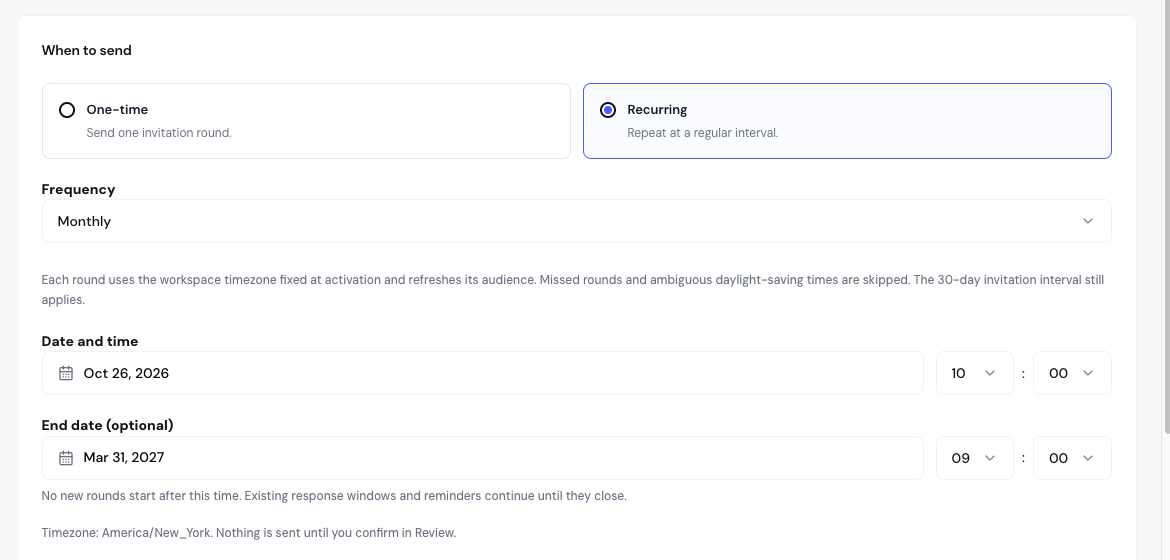
How recurring rounds work
- Each round recalculates the audience. With a segment, the people in it at that moment are included.
- The 30-day interval between invitations still applies. In a weekly campaign, people invited the week before are left out until 30 days have passed.
- With the Monthly and Quarterly frequencies, the round falls on the same day of the month. In shorter months, it falls on the last day.
- Rounds that couldn’t go out on time are skipped, not sent later.
Time zone
Times use the Workspace timezone, set in Settings › Campaigns. When the campaign starts, the time zone is locked for that campaign.
Times that don’t exist or that repeat during a daylight saving time change are rejected or skipped. Avoid scheduling near midnight on those dates.
Frequently asked questions
Can I change the schedule after starting?
No. Once started, the configuration is frozen. Pause or archive the campaign and create a new one with the right schedule.
When does a recurring campaign without an end date stop?
It keeps going until you pause or archive it. The monthly email quota also limits the sends.
I scheduled it and want to send it now.
While it’s still a draft, go back to the Configuration step and choose After confirmation in Review.
Related articles
Last updated on