Track a campaign
Once started, each campaign has a page with its results, recipients and responses. Open it from the Campaigns list, with View details.
Campaign statuses
| Status | What it means |
|---|---|
| Draft | It hasn’t been started yet. |
| Queued / Scheduled | The invitations will go out soon or on the set date. |
| In progress | It’s sending invitations or reminders, or the automation is active. |
| Paused | New invitations are on hold. |
| Waiting for quota | The monthly email quota ran out. After it renews, click Resume. |
| Completed / Archived | It finished or was ended. The history is kept. |
The campaign tabs
Summary
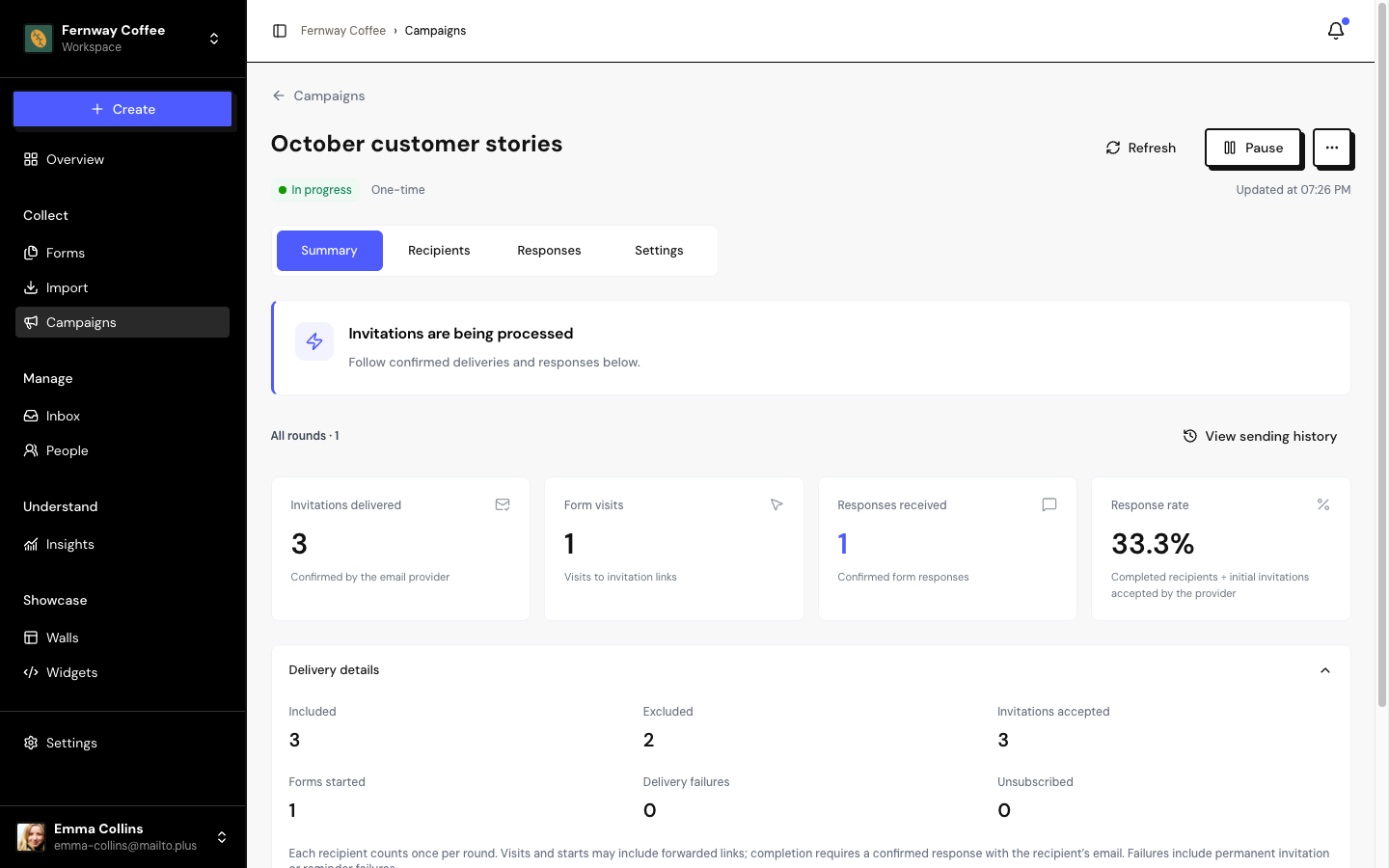
Shows the main numbers:
- Invitations delivered, Form visits, Responses received and Response rate (responses divided by accepted invitations).
- Under Delivery details: included, excluded, accepted invitations, forms started, delivery failures and unsubscribes.
The email open rate isn’t shown.
In recurring campaigns, choose All rounds or a specific round in the selector at the top.
A response only counts for the campaign when it’s submitted with the recipient’s email. If the link is forwarded and someone else responds with a different email, the response isn’t included in the campaign.
Pause, resume and archive
- Pause: stops new invitations. Sends already in progress may still be accepted.
- Resume: starts sending the pending invitations again. Also use it after Waiting for quota.
- Archive (⋯ menu): ends the campaign and keeps its history. Emails already accepted can’t be recalled.
A started campaign can’t be edited, duplicated or deleted. To change something, archive it and create a new one.
Frequently asked questions
How long does the invitation link work?
30 days from the first send. After that, the link still opens the form, but the response isn’t tied to the campaign.
The campaign paused on its own. Why?
The campaign’s form was paused or deleted, or the segment no longer exists. Fix it and click Resume.
Where do I see campaigns in the Overview?
In Campaigns in progress and, when there’s a problem, in Needs your attention.