Wall content, filters and CTA
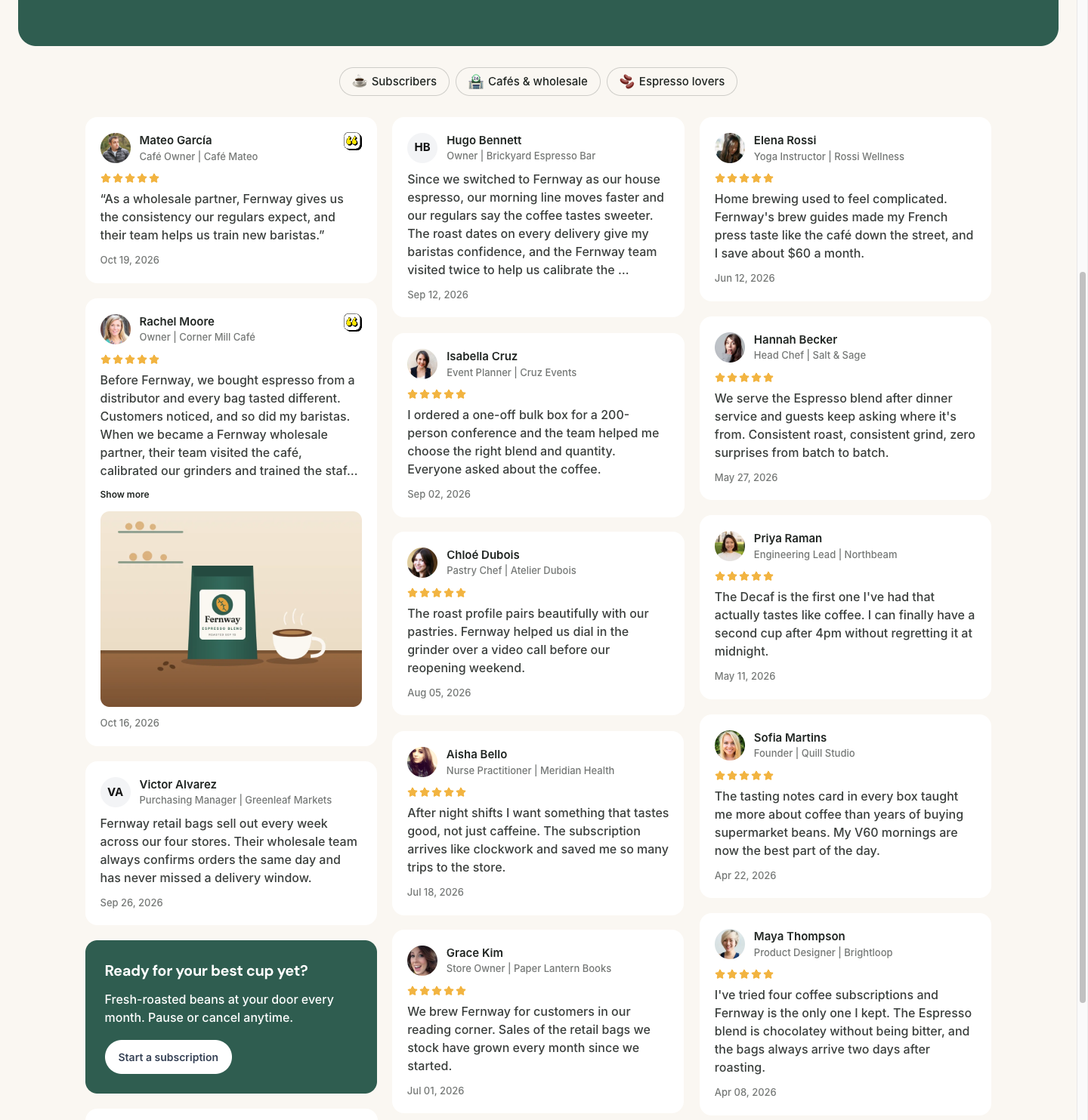
In the Testimonial Wall section, besides choosing the testimonials, you define how they appear on the page, which filters visitors can use and a call to action in the middle of the list.
What each testimonial shows
Turn each item on or off:
- Show testimonial title
- Show dates
- Show rating
- Show highlights
- Show customer photos
- Show company logos
- Show company names
Show highlights emphasizes the excerpts you marked in the testimonial’s text in the Inbox.
Columns and scrolling
- Maximum columns: from 1 to 5. On smaller screens, the wall uses fewer columns on its own.
- Infinite scroll: on, more testimonials load as the visitor scrolls the page. Off, the Load more button appears.
Filters for visitors
In Filters, create buttons that visitors use to see only one group of testimonials, such as “Agencies” or “E-commerce”.
Add a filter
Click Add filter and give it a name. If you want, choose an emoji.
Choose the tags
The filter shows the testimonials that have any of the chosen tags. Without tags, it shows all the testimonials on the wall.
You can create up to 50 filters. They only filter the testimonials that are already on the wall.
CTA between testimonials
Turn on Enable inline CTA and fill in CTA title, CTA subtitle and URL button. The card appears after the third testimonial.
The CTA only appears when the wall has 4 or more testimonials.
Frequently asked questions
A filter is empty.
No testimonial on the wall has that filter’s tags. Add the tags to the testimonials in the Inbox or change the filter’s tags.
Can I have more than one CTA in the middle of the list?
No. The wall has one CTA between the testimonials, in addition to the hero button.
Can I choose where the CTA goes?
No, it always appears after the third testimonial.