Widget appearance
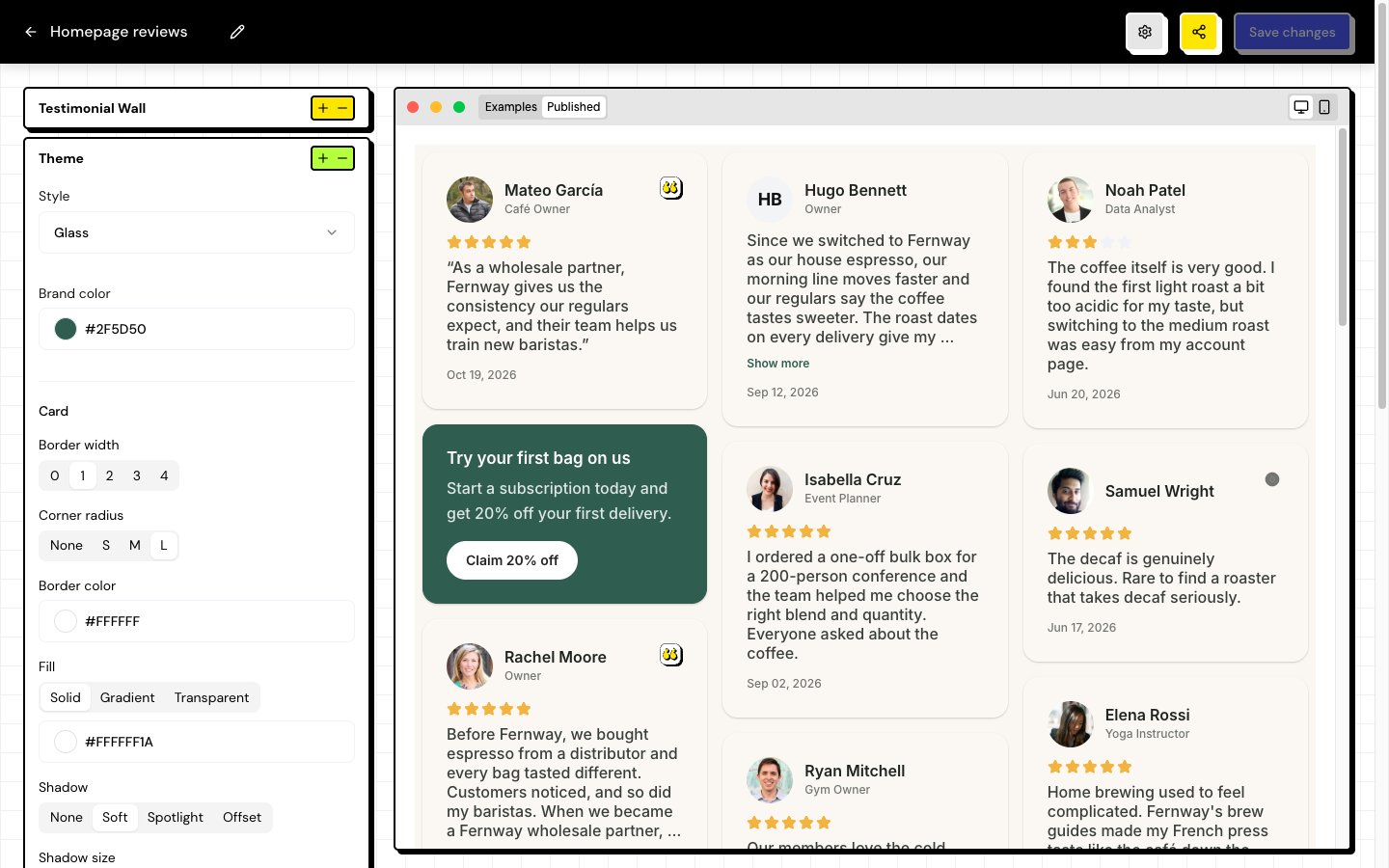
The Theme and Display sections of the editor define how the widget matches your website.
Theme
| Option | What it changes |
|---|---|
| Style | The starting point for the look: Soft, Dark, Glass or Neubrutal. |
| Primary color | Your brand color in the widget’s details. |
| Card | Border, rounded corners, shadow and fill (solid, gradient or transparent). |
| Background | The color behind the cards. |
| Text | Font, size and colors of the text, the highlights and the stars. |
With the Brand Kit set up, choose its colors and font so the widget follows your brand.
Display
- Show stars and Show date.
- Show Testimoniacs Powered By: the badge at the bottom of the widget. It can only be turned off on paid plans.
Frequently asked questions
The widget has the wrong font on my website.
The widget doesn’t inherit your website’s font. Choose the font in Theme › Text.
I changed the theme and my website didn’t change.
Save the widget and reload the page on your website. You don’t need to replace the installed code.
I can’t turn off Powered By.
On the Free plan, the badge is required. Upgrade in Settings › Billing.
Related articles
Last updated on