Wall design, header and hero
The Design, Header and Hero sections of the editor define the wall’s look: the colors, the top menu and the first thing visitors see.
Design
- Logo: upload an image or choose a logo from the Brand Kit.
- Theme: Neubrutal, Soft, Dark, Glass or Editorial.
- Primary color, Highlight color and Font (Google fonts or your own font).
- Page background, Text color and Star color: optional; left blank, the theme’s colors apply.
- Show Testimoniacs Powered By: the “Built on Testimoniacs” badge. It can only be turned off on paid plans.
Click a Brand Kit color or font to link it. When you change the Brand Kit, the wall changes with it.
Header
- Name next to the logo and Show name next to the logo.
- Logo redirect URL: where the logo takes visitors. Left blank, it goes to the wall itself.
- Navbar links: up to 4 links, each with a Label and a Destination URL.
- Show Header: turn it off to hide the top.
Hero
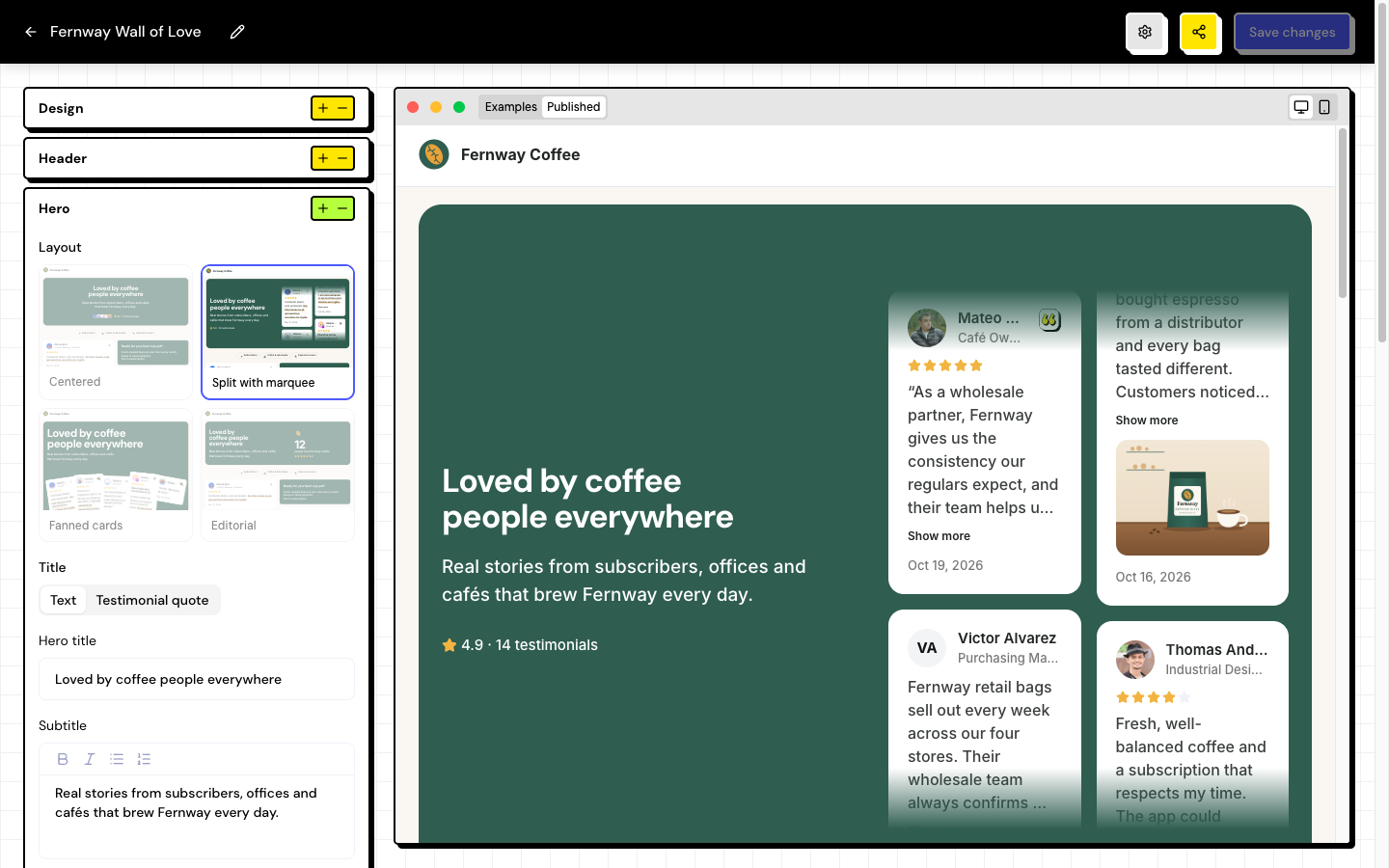
The hero is the opening block of the page.
| Layout | What it looks like |
|---|---|
| Centered | Title and subtitle in the center. |
| Split with marquee | Text on one side and a carousel of testimonials on the other. |
| Fanned cards | Testimonials fanned out next to the text. |
| Editorial | Magazine style, with the testimonial count. |
- Title: write a text or use Testimonial quote, with an excerpt of up to 120 characters from a text testimonial.
- Subtitle, Call to action button (label and link) and Cover image (1200×600, up to 5 MB).
- Featured cards (Split and Fanned layouts): choose up to 12 testimonials. Without a choice, the wall uses the testimonials marked as Highlight in the Inbox.
The hero automatically shows the average star rating and the total number of testimonials on the wall.
A new wall comes with some sample text, such as the hero title and the button. Replace it with your own text before sharing.
Frequently asked questions
The featured cards in the preview are different from the published page.
Without a manual choice, the preview can show other testimonials. Choose the Featured cards so the preview and the page match.
I can’t turn off Powered By.
On the Free plan, the badge is required. Upgrade in Settings › Billing.
Can I add more than 4 links to the menu?
No, the limit is 4 links. Use the call to action button for the most important link.